FAQ
Datsun 1200 Encyclopedia FAQ
For questions not listed below, see: * Wikimedia Help * Site Help
Organizing An Article
Sections and subsections
Italics, Bold and Paragraph Breaks
Ordered Lists, unordered Lists, and Bullet Points
Links
TIP: Practice typing links into articles using Edit. But don't "Save" the article, just click "Preview" to see how you are doing. Then you can cancel the Edit.
How Do I Link To Another Encyclopedia Page?
Like this:
It will work like this link: Datsun 1200
You can also give the link a custom label, like this:
It will work like this link: Custom Label
How Do I Link to a Web Page?
Like this:
Or, to be a little fancier:
... which works like this: click here for datsun1200.com
How Do I Link to a Wikipedia Article?
Like this:
Which results in Nissan.
How Do I Link to a Picture?
Like this:
NOTE: Write it all on one line, or it won't work as expected.
When you preview the page, it will look like this:

Ref
<pre>wiki link</pre>
Photos FAQs
- How Do I Link to a Picture? (Answer in Link section)
How to make a click-able photo?
For club Photo Album photos, do it like this:
Usage: Usage: Template loop detected: Template:Alb OR ... Template loop detected: Template:Alb (arbitrary fixed width) Template:AlB
- click for photo
- overlay link to Album (visible in derived templates) Template:Album http://datsun1200.com/modules/mediawiki/index.php?title=Special%3AAllpages&from=Alb&namespace=10
Examples:
* Template loop detected: Template:Album * Template loop detected: Template:Album * Template loop detected: Template:Album * Template loop detected: Template:Album
- inline style (span)
- default width=400 from wiki CSS img { max-width:400px; }
- class widths available: 100,THUMB(140),TH(160),SM(256),MED(400),LG(560),XL(640),MAX. blank for no-resize (imagepx class). INDEX for inheritance
- default extension=jpg
- Use to specify extension for JPEG, PNG, GIF
- also because non-JPEG thumbs are not normally shown THUMB size

OR ... Usage: Template loop detected: Template:Alb OR ... Template loop detected: Template:Alb (arbitrary fixed width) Template:AlB
- click for photo
- overlay link to Album (visible in derived templates) Template:Album http://datsun1200.com/modules/mediawiki/index.php?title=Special%3AAllpages&from=Alb&namespace=10
Examples:
* Template loop detected: Template:Album * Template loop detected: Template:Album * Template loop detected: Template:Album * Template loop detected: Template:Album
- inline style (span)
- default width=400 from wiki CSS img { max-width:400px; }
- class widths available: 100,THUMB(140),TH(160),SM(256),MED(400),LG(560),XL(640),MAX. blank for no-resize (imagepx class). INDEX for inheritance
- default extension=jpg
- Use to specify extension for JPEG, PNG, GIF
- also because non-JPEG thumbs are not normally shown THUMB size
(arbitrary fixed width)
- click for photo
- overlay visible in derived templates (default: Link to Album)
- derived from Template:Alb
Examples:
* Template loop detected: Template:Album * Template loop detected: Template:Album
- default width=400 from wiki CSS img { max-width:400px; }
- default extension=jpg
- Use to specify extension for JPEG, PNG, GIF
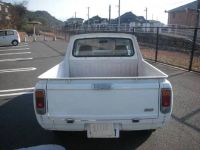


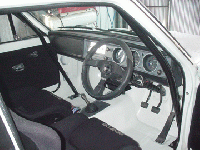


Or for the Thumb:
Usage: Template loop detected: Template:Thumb clickable link
* inline style (span) * default extension=jpg * specify extension for JPEG, JPE, etc (4365.jpe)
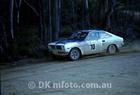

For random internet photos:
[link_to_whatever Address_of_JPG]
For example:

Try it: Click the photo!
How to size a photo to a specific size?
For a Photo Album photo
Photos are automatically maxed at 400 pixels wide:
Limit the width to 400 for this Wiki so that all users get a nice size page, even if using a mobile browser.
Use Thumbs in some case, like this:
Category Pages
A category page is a table-of-contents page.
Generally you won't change these, instead add your information to a regular page or a new page (see how to create a new page below). However if needed you can modify the Category page to add subcategories.
Adding the "category" to a page will cause that page to automatically be listed on the category page.
Adding a Category to a page
Say you write a page "L-series Engine Swaps". Be sure to add the category to the bottom of the page:
This will list the page on the appropriate category page automatically and also provides a link near the top of the page to the category page. Now they are cross-linked and indexed.
Where Can I see a list of Categories?
The list of top-level Categories is here: Datsun 1200 encyclopedia.
New Pages
NOTE: Be sure to use the search button to see if your info already is in the encyclopedia somewhere. It is usually better to add your information to an existing article than to create new page/article.
How Do I Create a New Page?
In existing articles, you may see a "red link". This is a link to an article that hasn't been created yet. Click it and you will be prompted to create the new page. Type in the info you have, then click Save. You may wish to Preview it first.
To create a brand new page, see instructions here: Create New Page
Tables
Option 1: Paste an HTML table in. It is displayed as normal.
Option 2: Use a wiki table.
HTML Tables
Use this option if you are good with HTML or can copy/paste an existing table.
| Part Number | @ | Ex. Dur | In. Dur | In. Open | In. Close | Ex. Close | Ex. Open | Lift (in) | Reference |
| 13001-H1000 | ? | 248 | 248 | 14 | 54 | 12 | 56 | 0.335 | photo |
OPTIONAL: Give the table the class "wiki_table" to give it a quick formatted look. Overide the width with [style="width:600px"]. TH can be used to make the first row pop
| Part Number | @ | Ex. Dur | In. Dur | In. Open | In. Close | Ex. Close | Ex. Open | Lift (in) | Reference |
|---|---|---|---|---|---|---|---|---|---|
| 13001-H1000 | ? | 248 | 248 | 14 | 54 | 12 | 56 | 0.335 | photo:
|

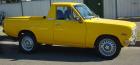


Wiki Tables
| Engine | Displacement |
|---|---|
| A12 | 1171 cc |
| A14 | 1397 cc |
To create this table, enter this:
{| ! Engine ! Displacement |- | A12 | 1171 cc |- | A14 | 1397 cc |- |}